

Quick Answer
The best PC specs for SFM in 2026 are a modern CPU with strong single-core speed and at least 6 cores, a mid-range or better NVIDIA or AMD graphics card with 8 GB of VRAM or more, 16 to 32 GB of RAM, and an NVMe SSD. The GPU does most of the final rendering work.
Source Filmmaker is an old program, but it can still bring a modern PC to its knees. A crowded scene with eight shadowed lights, volumetrics and high sample counts can take minutes per frame. The right hardware makes a big difference, but not every part matters equally. This guide explains the best PC specs for SFM in 2026, which components actually speed it up, and where extra money is wasted. If you also build your own models, our SFM compile guide covers the compile side of the workflow.
The advice here focuses on classic SFM, which runs on the Source engine with DirectX 9. If you plan to move to Source 2 Filmmaker, you will want more GPU power, and we cover that near the end.
The short version:
Pick a modern CPU with strong single-core speed and at least 6 cores, because much of SFM’s work runs on one main thread.
Choose a mid-range or better NVIDIA or AMD graphics card with 8 GB of VRAM or more, since final renders lean heavily on the GPU.
Use 32 GB of RAM if you also run Blender, a browser and an editor, and at least 16 GB if you do not.
Install SFM and your usermod content on an NVMe SSD to cut loading times for maps and models.
How SFM Uses Your Hardware
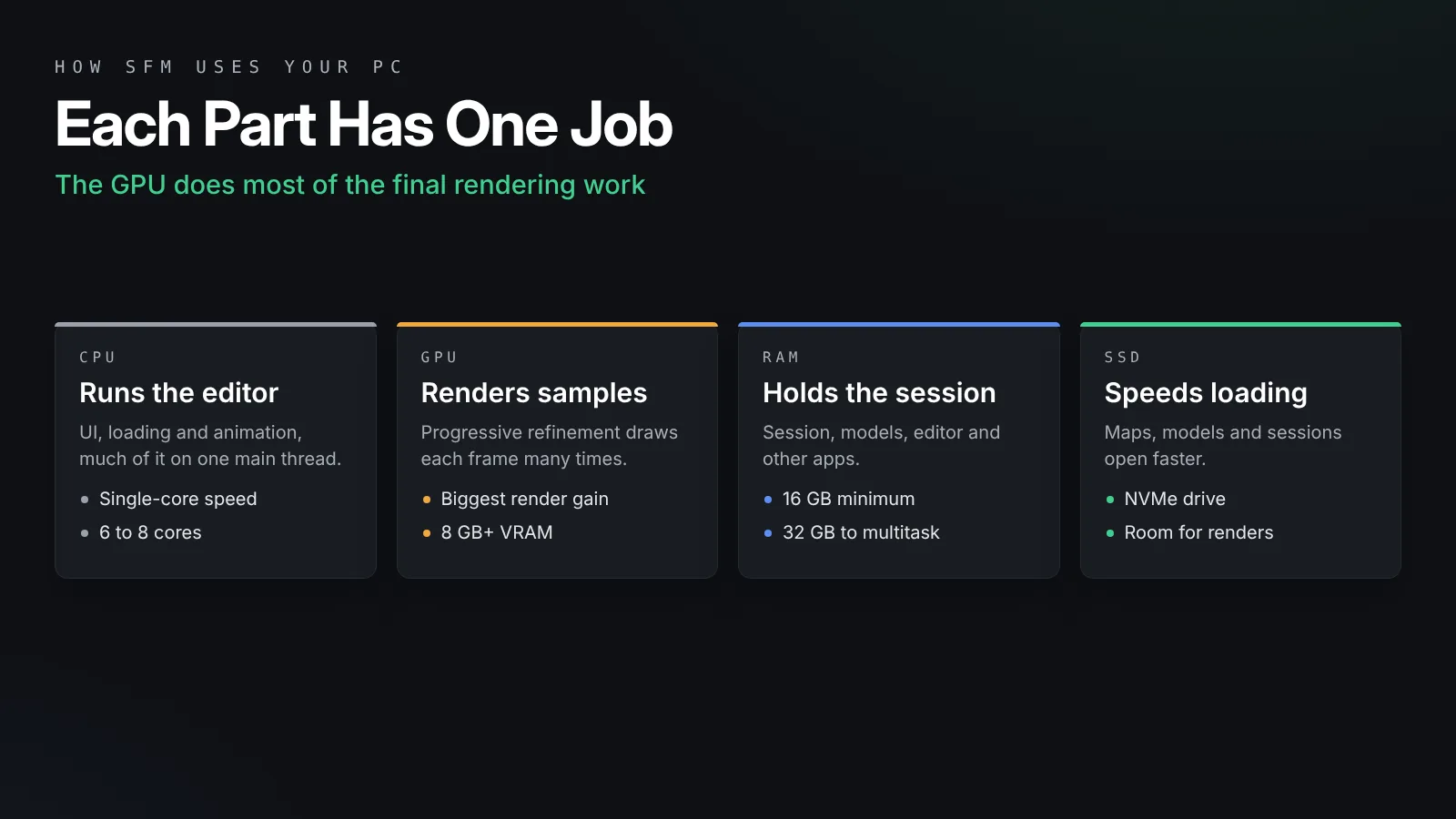
Knowing what each part does stops you from overspending in the wrong place.
The CPU drives the editor
The processor runs the user interface, loads sessions, evaluates animation and prepares each frame for the graphics card. Source is an older engine, and much of that work happens on one main thread. That means fast single-core speed helps more than a very high core count. A modern 6 or 8 core chip is plenty.
The GPU does the heavy rendering
SFM’s final quality comes from progressive refinement. It draws each frame many times with tiny changes and blends the results, which creates depth of field, motion blur, soft shadows and clean volumetrics. All those passes run on the graphics card. A faster GPU directly shortens render times when you use high sample counts.
RAM and VRAM hold your content
System memory holds the session, models, animation data and the editor itself. Video memory holds textures, shadow maps and render buffers. Large character models with 4K textures fill VRAM fast, and running out causes stutter and crashes.
Storage affects waiting, not rendering
An SSD makes SFM start faster and load maps and models quicker. It does not speed up rendering itself, but it removes a lot of small waits during a long session.
CPU: What to Look For
For SFM, a fast modern mid-range processor beats a slow chip with many cores.
Prioritize single-core speed
Look at recent generations from AMD Ryzen or Intel Core. Newer chips have far better per-core speed than models from five or more years ago. If you are upgrading from an old quad-core, almost any current 6 core desktop chip will feel much faster in the editor.
Core count
Six to eight cores is the sweet spot. Extra cores help when you run other programs at the same time, such as Blender, a browser full of tutorials, Discord and a video editor. They do little for SFM on its own.
Cooling and power
Long renders keep the system busy for hours. A decent tower cooler keeps the CPU from slowing down under sustained load. On laptops, heat is often the real limit, which we cover below.
GPU: The Most Important Upgrade
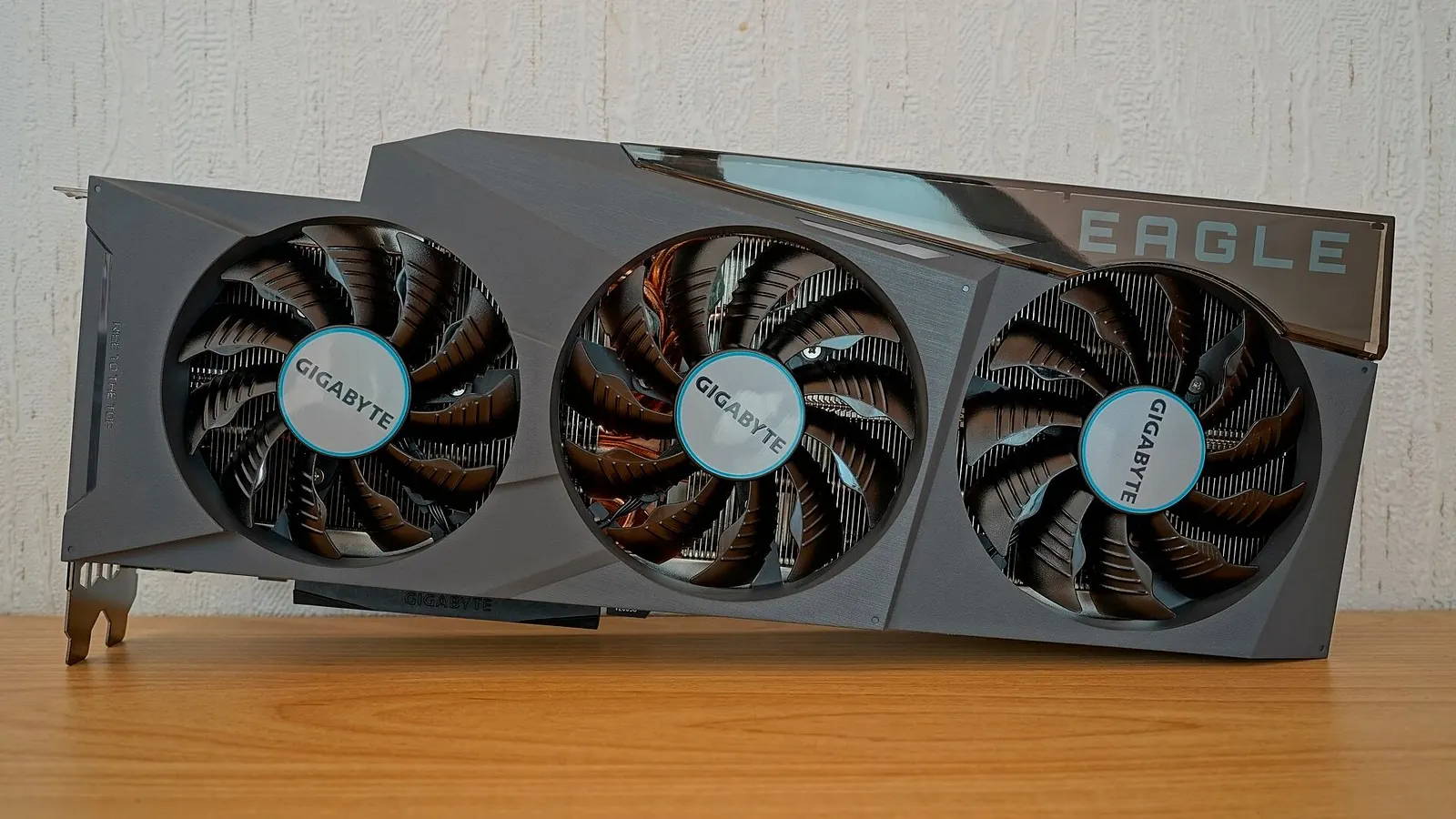
If you can only upgrade one part for faster renders, upgrade the graphics card.
NVIDIA or AMD
Both NVIDIA GeForce and AMD Radeon cards run SFM well. Older DirectX 9 software has had more compatibility issues on some newer GPU families, so stick with mainstream NVIDIA or AMD cards if SFM is your main tool, and keep drivers up to date.
VRAM matters
Aim for at least 8 GB of VRAM, and prefer 12 to 16 GB if you load many detailed characters or render at 4K. Steam Workshop SFM models often ship with large textures, and a crowded scene can use more memory than you expect.
You do not need the flagship
SFM does not use ray tracing hardware or AI features. A current mid-range or upper mid-range card gives most of the benefit. The very top cards help mainly if you also render in Blender Cycles, edit video or play modern games.
RAM and Storage
These parts rarely make SFM faster, but too little of either makes it miserable.
How much RAM for SFM
16 GB is the practical minimum in 2026. 32 GB is the comfortable target, because most animators keep Blender, a browser and an editor open next to SFM. More than 32 GB rarely helps SFM itself, since heavy sessions tend to hit the limits of SFM’s old engine before they use all your memory. Save often and split very large scenes into separate shots.
Choose an NVMe SSD
Install Steam’s SFM folder on an NVMe SSD. Map loads, model browsing and session opens all feel much quicker. A 1 TB drive is enough for most users, while 2 TB gives room for big Workshop collections and image sequences.
Plan space for renders
Image sequences are large. A minute of 1080p PNG frames at 24 frames per second is 1,440 files, and a 4K sequence takes much more space. Keep a second drive or a large folder just for renders, and clear old ones after you encode them.
Recommended SFM Builds for 2026
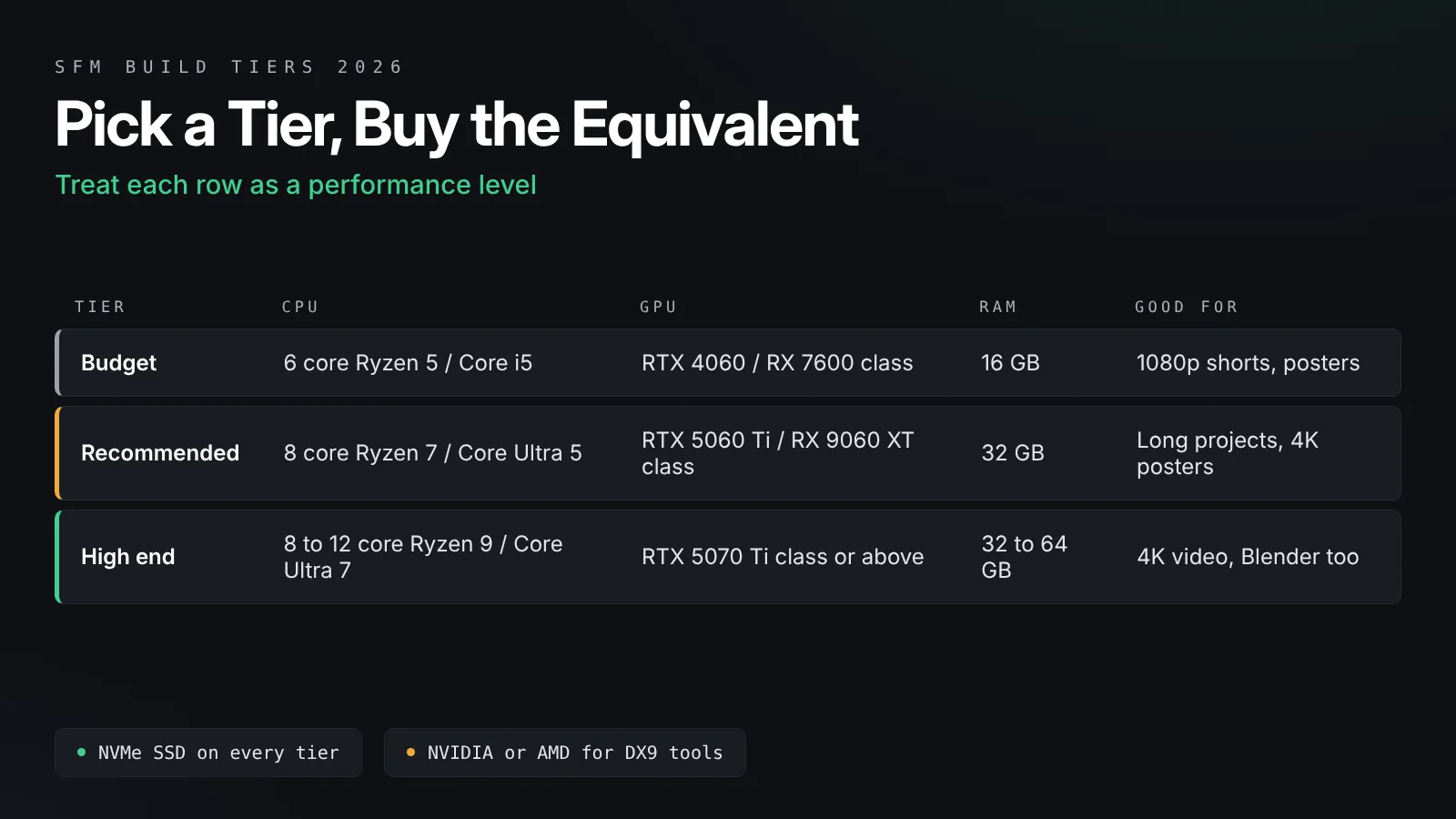
These tiers are a guide, not a shopping list. Hardware names change quickly, so treat each as a performance level and pick the current equivalent.
| Part | Budget | Recommended | High end |
|---|---|---|---|
| CPU | Recent 6 core Ryzen 5 or Core i5 | Recent 8 core Ryzen 7 or high clock Core i5 or Core Ultra 5 | Fast 8 to 12 core Ryzen 7, Ryzen 9 or Core Ultra 7 |
| GPU | 8 GB card such as RTX 4060 or RX 7600 class | 12 to 16 GB card such as RTX 5060 Ti or RX 9060 XT class | 16 GB or more, RTX 5070 Ti class or above |
| RAM | 16 GB | 32 GB | 32 to 64 GB |
| Storage | 1 TB NVMe SSD | 2 TB NVMe SSD | 2 TB NVMe plus a render drive |
| Good for | 1080p shorts, posters, learning | Long projects, 1440p and 4K posters | Heavy scenes, 4K video, Blender work too |
Budget tier
This level handles learning, 1080p shorts and posters well. Keep sample counts modest during work, and raise them only for the final render.
Recommended tier
This is the best value for most animators. It renders 1080p and 1440p video with high sample counts at a sensible speed and handles crowded scenes with many characters.
High-end tier
Choose this if you also render in Blender, edit 4K video or need fast turnaround on long projects. For SFM alone, it brings smaller gains than the jump from budget to recommended.
Laptops for SFM
A gaming laptop can run SFM well, with a few checks.
Use the dedicated GPU
Many laptops have two graphics chips. Make sure SFM runs on the dedicated one. In Windows Settings, open System, Display, then Graphics, add sfm.exe and set it to High performance. NVIDIA users can also set it in the NVIDIA Control Panel.
Watch the heat
Long renders push laptop cooling hard. Use a cooling pad, keep the vents clear and plug in the charger, because many laptops slow the GPU heavily on battery.
Mind the VRAM
Laptop GPUs often have less VRAM than desktop cards with similar names. Check the exact amount before you buy.
Software Settings That Matter as Much as Hardware
A fast PC still feels slow if SFM is set up badly.
Keep viewport quality low while you work
Turn off ambient occlusion and lower sample counts while you animate, then raise them only for final renders. Our SFM lag fix guide lists every setting that speeds up the editor.
Use the right render settings
Higher samples cost time. Use only as many as each shot needs. Our guide to the best SFM render settings explains how to balance quality against render time.
Keep Windows and drivers tidy
Run SFM on 64-bit Windows 10 or 11, keep the graphics driver current and close heavy background apps before a long render. If you are setting up a new PC, our SFM installation guide covers the full setup.
What About Source 2 Filmmaker?
Source 2 Filmmaker uses a newer engine with modern rendering features. It needs more GPU power and more VRAM than classic SFM, and it ships with the Workshop Tools for a supported game, so you also need that game’s install and storage space. If S2FM is part of your plans, lean toward the recommended or high-end tier. Our Source 2 Filmmaker guide explains how it differs and how to get started.
Which Part Is Slowing You Down?
Use this table to match symptoms to hardware.
| Symptom | Likely bottleneck | What helps |
|---|---|---|
| Final renders take a very long time | GPU | Faster GPU or fewer samples |
| Editor feels sluggish when scrubbing | CPU single-core speed | Newer CPU or simpler scenes |
| Crashes when loading many models | VRAM or memory limits | More VRAM, smaller textures, split shots |
| Slow map and model loading | Storage | NVMe SSD |
| Stutter with other apps open | System RAM | 32 GB of RAM |
Check with Task Manager
Open Task Manager while SFM renders and watch the Performance tab. If GPU usage sits near full while the CPU is low, the GPU is your limit. If one CPU thread is pinned and the GPU is idle, the CPU is holding things back. Check the official system requirements on the Source Filmmaker Steam page as a floor, but plan well above them for real projects.
Frequently Asked Questions
Is SFM more CPU or GPU heavy?
Both matter, but in different places. The CPU drives the editor and animation, much of it on one main thread, so single-core speed counts. The GPU does the heavy lifting in final renders, so a faster graphics card shortens render times the most.
How much RAM do I need for SFM in 2026?
16 GB is the practical minimum. 32 GB is the comfortable choice if you run Blender, a browser and an editor next to SFM. Going beyond 32 GB rarely makes SFM itself faster.
Can SFM run on integrated graphics?
It can open and handle simple scenes on modern integrated graphics, but final renders will be slow and large models may not load well. A dedicated graphics card with at least 8 GB of VRAM is strongly recommended.
Does SFM use ray tracing or DLSS?
No. Classic SFM uses the DirectX 9 Source engine and does not use ray tracing hardware or upscaling features. Its quality comes from many rendering passes blended together.
Does SFM work on Mac or Linux?
Source Filmmaker is a Windows program. Some users run it on other systems through compatibility layers, but support is limited and results vary. A Windows PC is the reliable choice.
Is a gaming laptop good enough for SFM?
Yes, if it has a dedicated NVIDIA or AMD GPU with enough VRAM and good cooling. Make sure SFM runs on the dedicated GPU, plug in the charger during renders and keep the vents clear.
Final Thoughts
Spend on the GPU, balance the rest
The best PC specs for SFM in 2026 are balanced rather than extreme. Choose a modern CPU with strong single-core speed, put most of your budget into a solid NVIDIA or AMD graphics card with plenty of VRAM, use 32 GB of RAM if you multitask, and keep everything on an NVMe SSD. Pair that with sensible render settings, and SFM will feel smooth while you work and quick when you render.
Read More: Fortnite SFM Models: How to Find, Import and Pose Them in Source Filmmaker